 Manual
Manual · The book
Lists
One list everywhere — row actions, editable cells, footers, reordering.
One list, everywhere
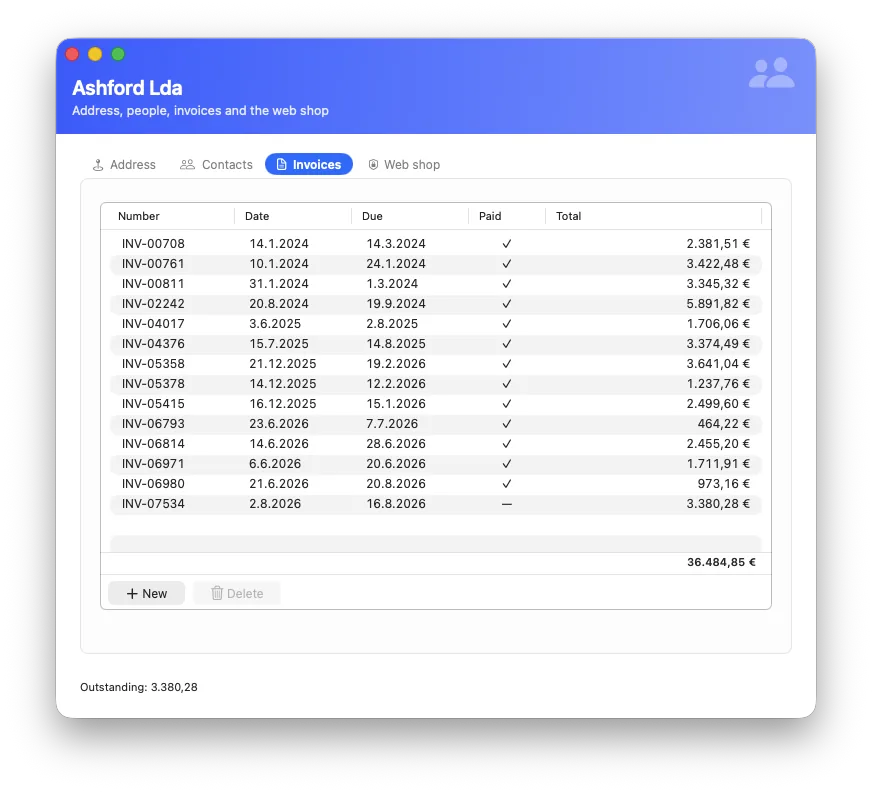
The list on a form, the data browser, the preview inside the find and import windows — all one component, so what you learn once is true everywhere. It has no row ceiling (a hundred thousand rows scroll), columns drag, and the footer can carry a summary per column — totalled over the whole set by the database, not over the rows that happen to be loaded: a limit nobody sees must not become a wrong answer.
What a list shows
One question with two answers: a table (with the query you
configure) or a relationship of the form's record
(invoice.lines). A script can hand it anything:
form.list.show(query) — the list runs the query itself and
stays current.
Row actions — buttons nobody writes
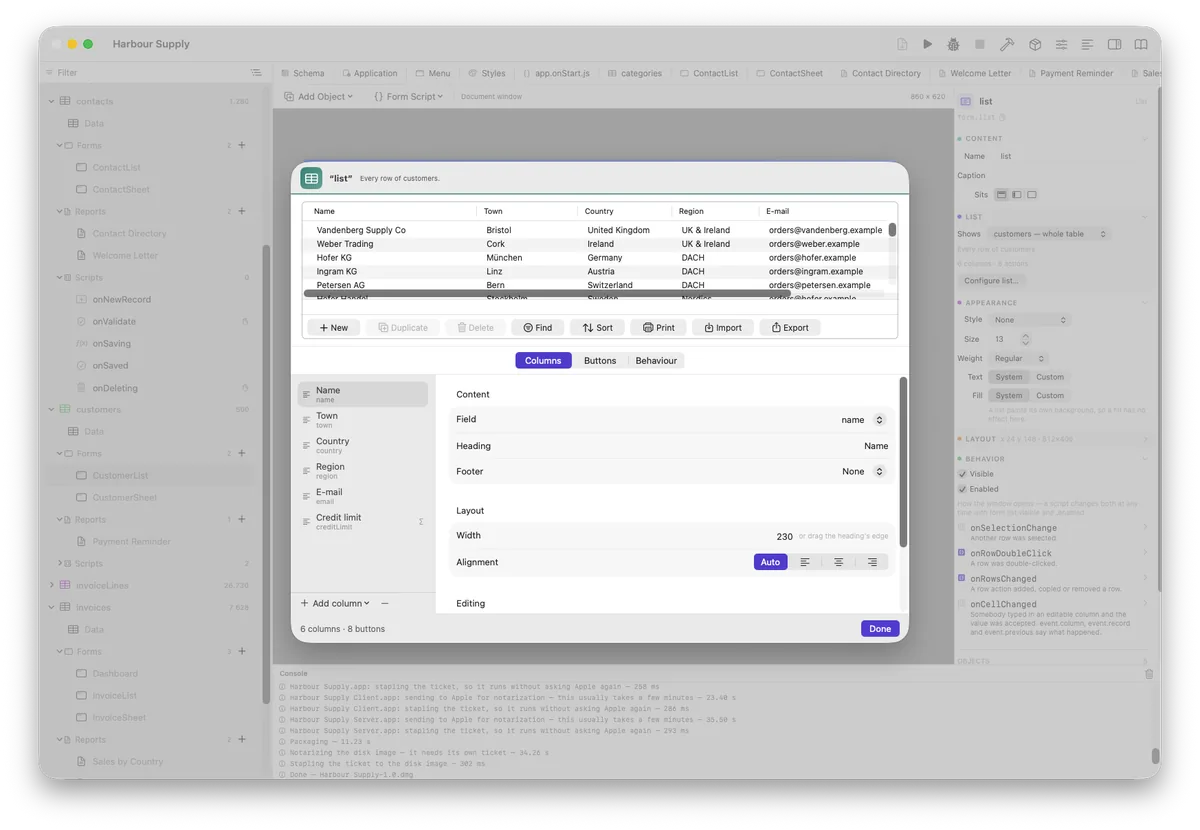
Tick them and they exist, in the button bar and the right-click menu:
New (opens your chosen form, sets the relationship), Duplicate
(leaves out unique and computed fields), Delete (asks, one
transaction) — and for the end user Find · Sort · Print · Import ·
Export. Print opens the report manager with the shown records; Export
writes the selection, or everything the list is showing. Your own actions
run a script of yours, with the row in event.record.
Editable cells
Columns can be editable. A typed cell goes through the table's
onValidate — the rule every writer obeys — and a
refused cell is drawn red with the message as its tooltip, instead of
silently restoring the old value and teaching people to type things twice.
After an accepted edit, onCellChanged fires with
event.column, event.record and
event.previous.
Find and Sort — two windows, not one
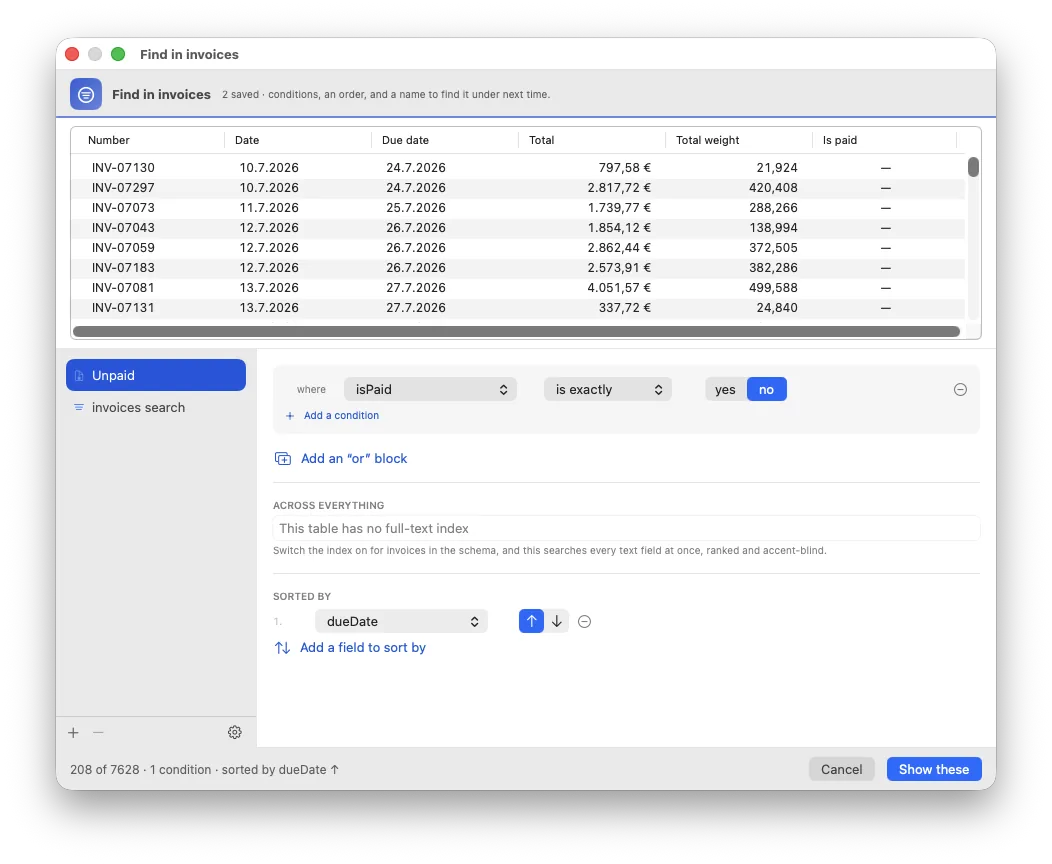
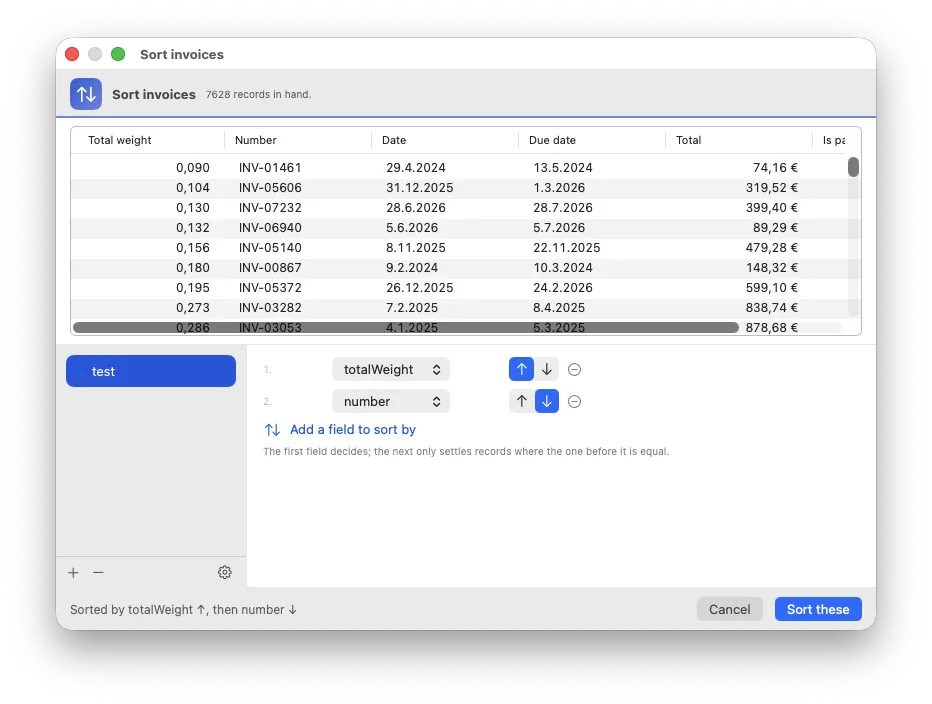
Tick Find and Sort on a list and the end user gets them, in the bar and in the right-click menu. They are deliberately two windows: they were one, on the reasoning that nobody sorts without looking first — and this project's own author reported the sort editor missing three times in two days, because it was hidden inside the find window. Both keep a shelf of their own: a search or an order worth having twice gets a name and is there next time.
Reordering
Give the list a position field and rows can be dragged into an order —
the number lives in the column the list already shows, and
onRowsChanged is where renumbering after a delete belongs.