 Manual
Manual · The book
Reports & printing
The report editor, form letters, labels — and printing from a list.
One printing engine
Everything printed goes through reports — the invoice, the form letter, the label sheet, and the quick print from any list. One engine means one look: what the developer designed is what every road prints.
The editor
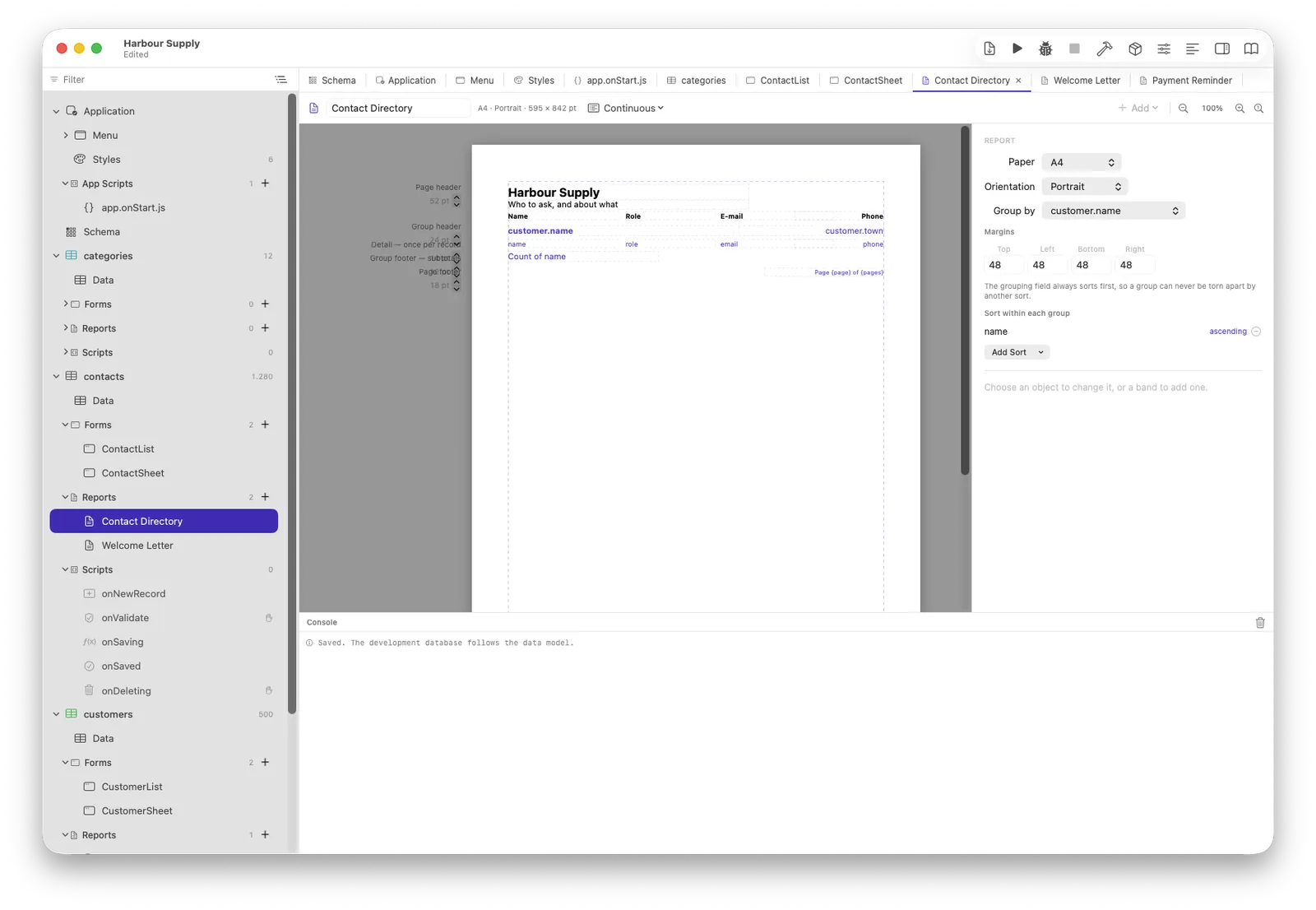
A report is bands — page header, group headers, one band per record, a
footer that can total. Drag fields in, follow relationships in a path
(customer.town), place computed values, set the page. The
editor works on real records, so what you see is what prints.
reports.openEditor(records, "Name") opens it from a script.
A chart on the page
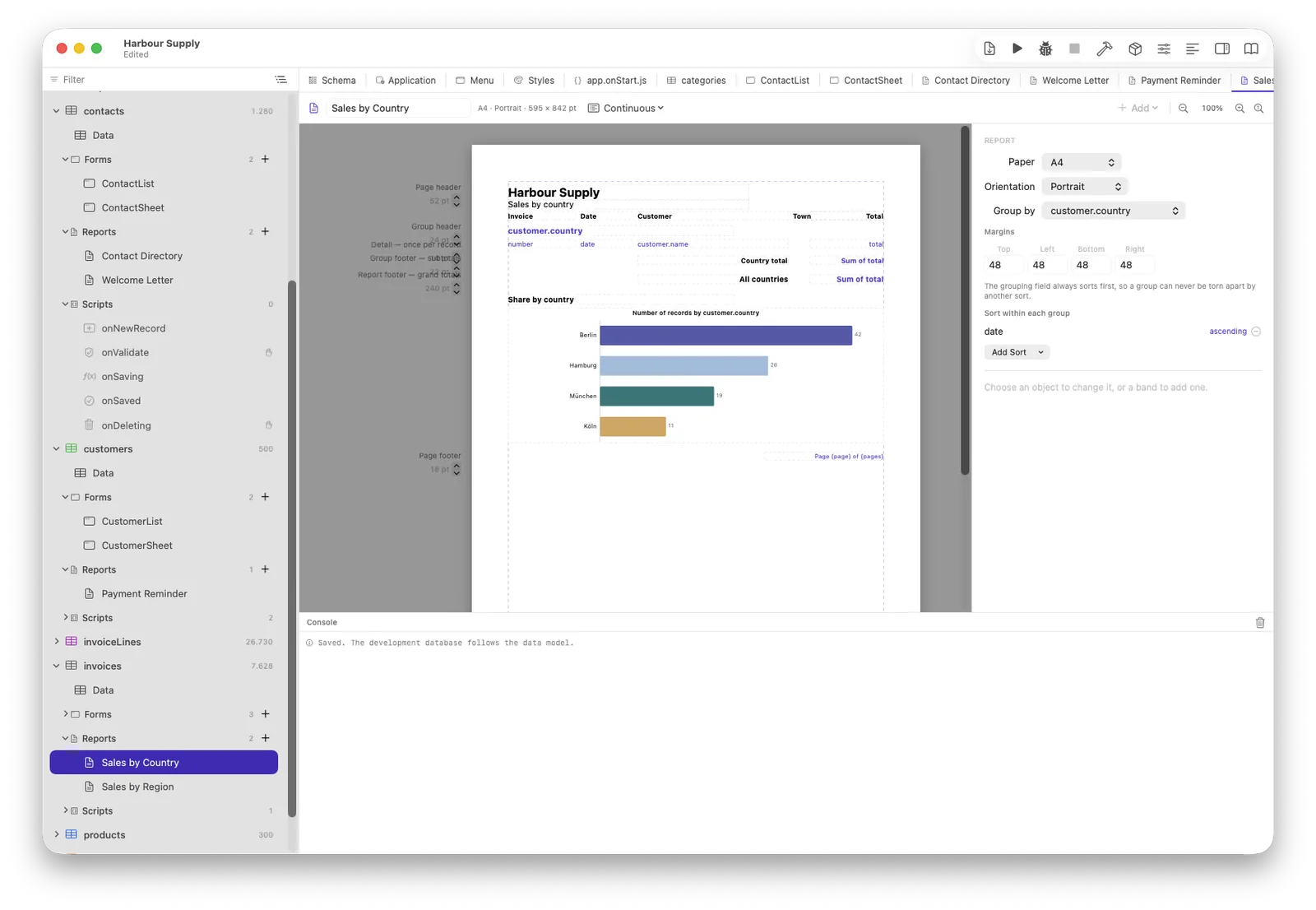
A chart is an object like any other — drop it into a band, tell it what to group by, and it is drawn where it stands. The values are counted by the database, not by loading records: the same arithmetic that feeds a chart on a form. In the editor it draws stand-in data, so you are deciding whether it fits before the first real page is printed.
Form letters and labels
A letter is a report over people — one band per record, the address block from their fields, your text between. Labels are a page grid; the example project ships both (a letter to the company and one to the person at it), worth opening and taking apart.
Two shelves
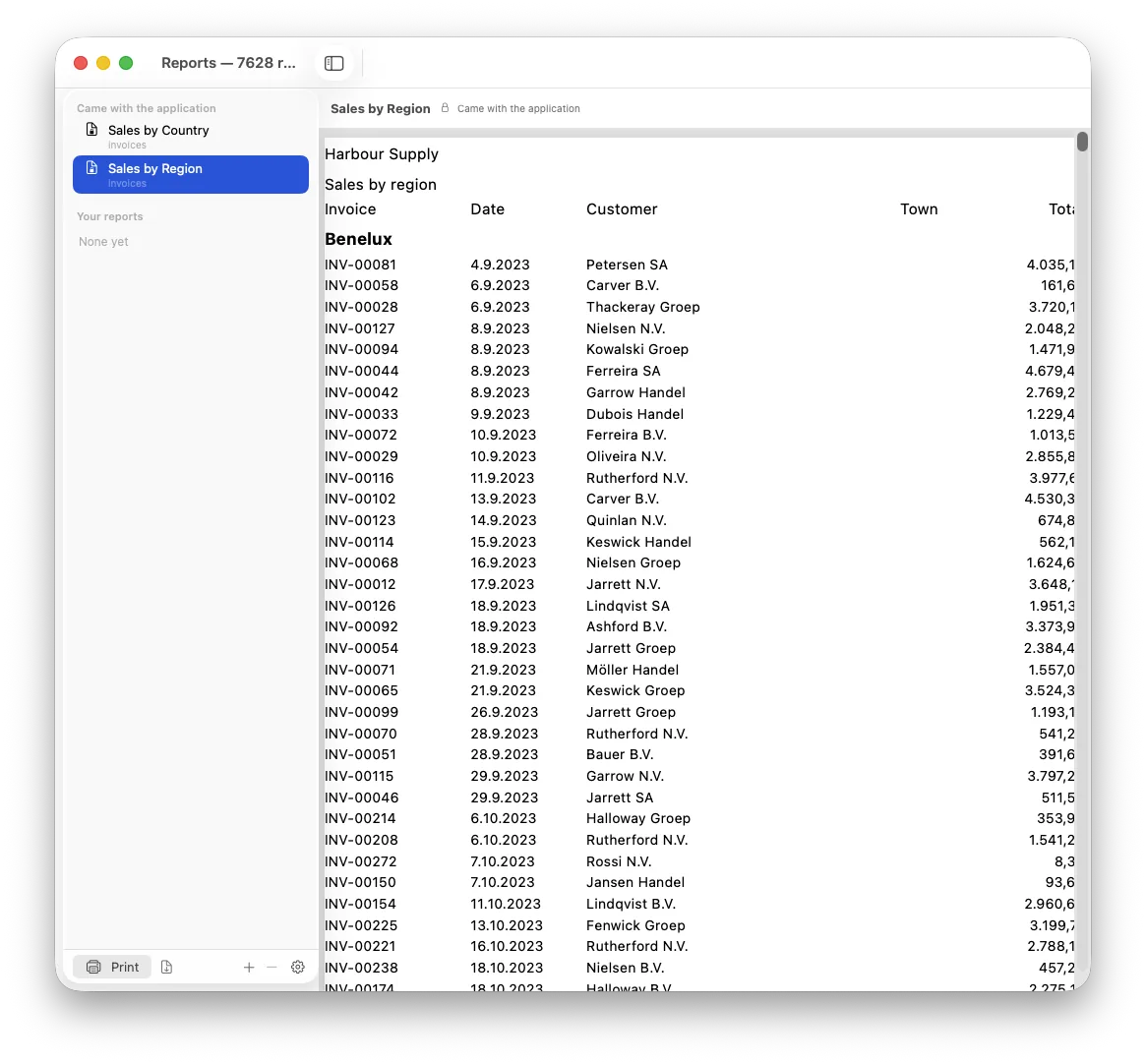
Reports you ship live inside the application and are read-only for the end user; their own live beside their data in Application Support and survive every update. The report manager shows both, with the padlock on yours — and Duplicate is the one door between the shelves.
From a script, and from every list
reports.print("Invoice", [form.record]) prints; every list's
Print row action opens the report manager with the shown records —
which is why there is no second, lesser “quick table print” to keep
in step with the real one.