Database applications
for the Mac.
Drawn first. Coded where it counts.
Draw the data model on a canvas. Let an assistant lay out the windows. Configure the lists by clicking. Where a decision genuinely needs a rule, you write a few lines of JavaScript — the language you already know, not one we invented to sell a course. One button later a standalone macOS application is sitting there: signed, notarised, ready to hand over.
Made with Neuridion, in an afternoon
This is an application, not a preview.
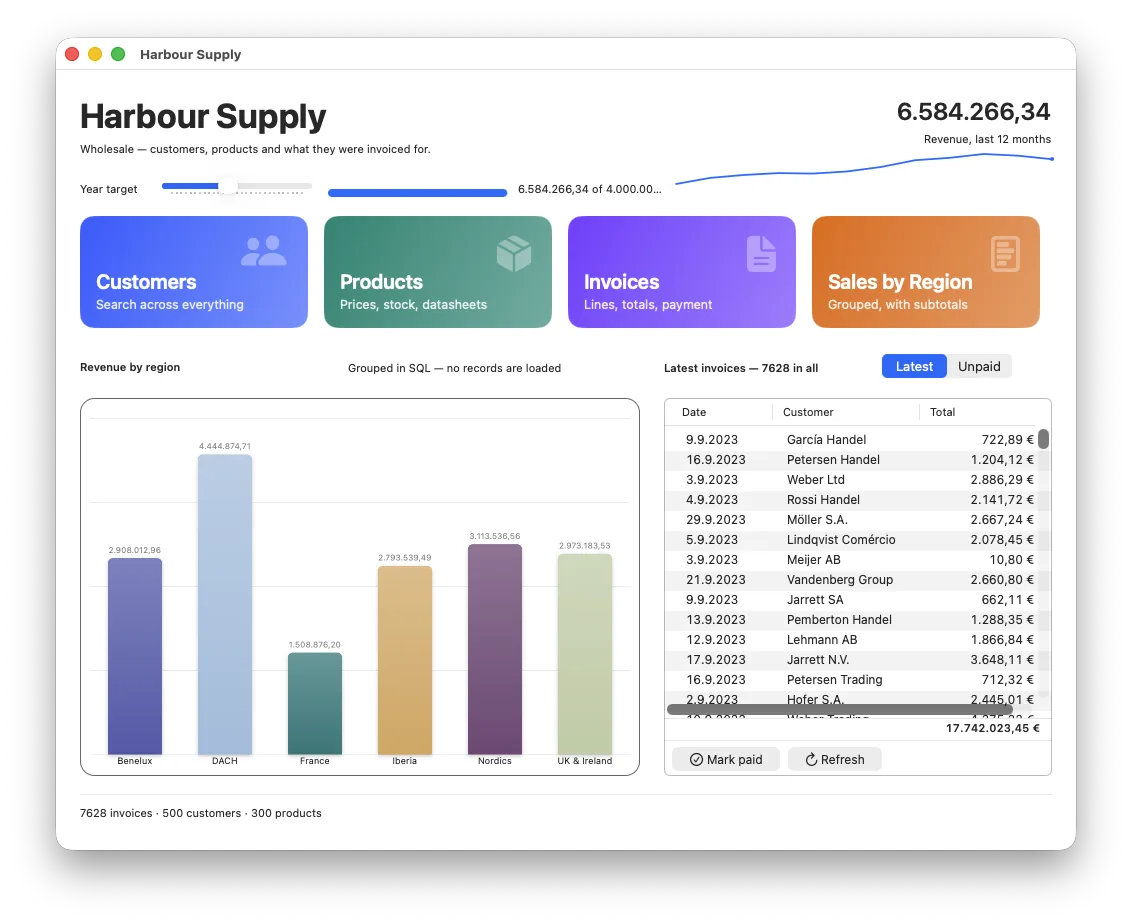
Harbour Supply — a ship chandler. Seven tables, eleven windows, seven reports, 500 customers in twelve countries, 7,628 invoices with 26,730 lines behind them. It ships inside Neuridion: on your very first launch you can open it, take it apart, and keep the half you liked.
The whole thing, in six pages
Start anywhere. They are written to be read in this order.
This used to be one page you scrolled for eleven hundred lines, with a menu that was really a table of contents. Each part is its own page now — so a link points at a subject, the back button works, and nothing has to be found by scrolling past three other things.
Twenty-six kinds of form object, thirteen kinds of field, reports in bands, a real debugger — and the parts nobody advertises, like money that is not a floating-point number.
02 How it worksFour steps: draw the data model, let the assistant lay out the windows, write JavaScript only where a rule is genuinely yours, press Build.
03 Data migrationThe day after you ship. Version 2 has three more fields and your customer has a year of data — the database migrates itself, and a rename stays a rename.
04 Speed“But it's JavaScript, isn't it?” The benchmark ships in the box: press the button on your own Mac and read the numbers rather than our claims.
05 How it's madeOne person, one repository, written with an AI — and an honest account of what that does and does not buy you.
06 How licensing worksWhat a key buys, what keeps working when it runs out, and the one thing that is never inside an application you build: a licence check.
The promise
What you build is yours. No small print.
An application built with Neuridion never asks anybody for a key, never expires and never contacts us. Not per installation, not per user, not per year. This is the one sentence in the whole product that will never be revised.
Not a runtime fee, not a client licence, not a “deployment seat”. Ever. Compare that with what a competing tool costs a ten-person office over five years and the arithmetic stops being close.
No invented format anywhere — the database, the backups, the exports. Readable in ten years by anything that speaks SQL, with or without us.
Building an application needs a running subscription — but everything you have already shipped keeps working for ever and never checks anything, and designing, Run and Debug stay open with no key. You rent the workshop, never the things you make in it.
Neuridion 0.9.2 Beta — free
Everything on this page that is not badged 1.0 is built
and running. The beta IDE is free — designing, Run and Debug; building an
.app is what the subscription buys.